Aspect Ratio Converter
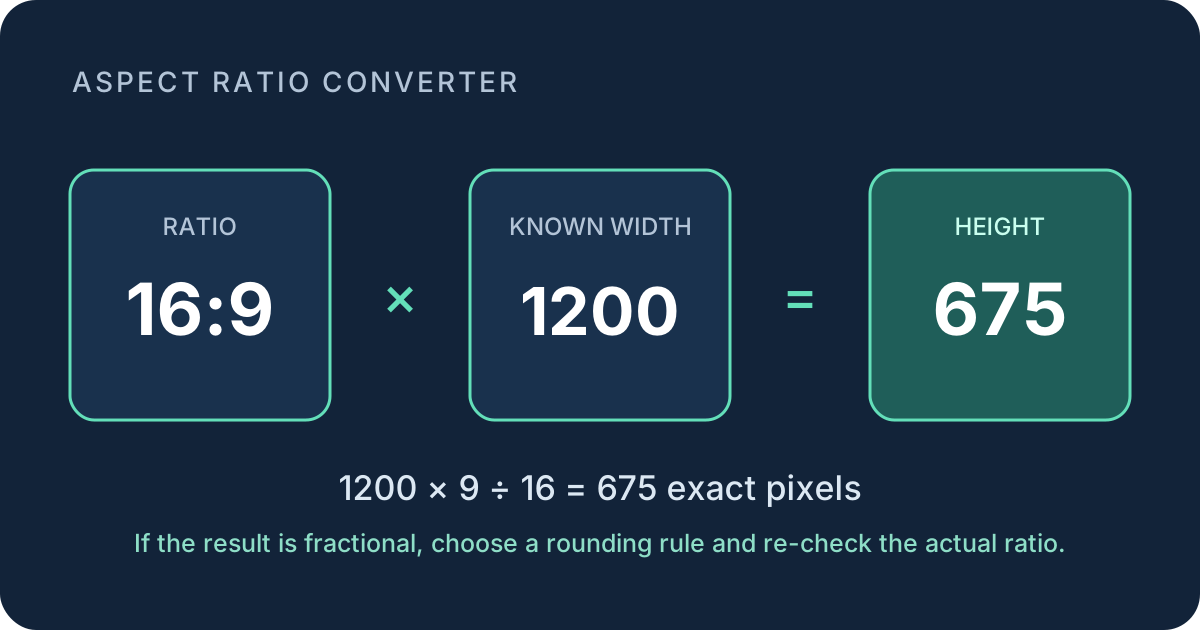
To convert a ratio A:B into pixel dimensions, multiply a known width by B ÷ A to get height, or multiply a known height by A ÷ B to get width.
Two conversion formulas
Known width
Height = width × B ÷ A
Known height
Width = height × A ÷ B
Keep the ratio terms in width-to-height order. For 4:3, A is 4 and B is 3. A width of 1600 therefore gives 1600 × 3 ÷ 4 = 1200, so the converted dimensions are 1600 × 1200.
A ratio describes shape, not file size or pixel density. The pairs 640 × 360, 1280 × 720, and 1920 × 1080 all reduce to 16:9 even though they contain different numbers of pixels.
Know whether the result will be a whole pixel
First simplify A:B. When width is known, an exact integer height is guaranteed when the width is divisible by the simplified width term A. When height is known, an exact integer width is guaranteed when the height is divisible by the simplified height term B.
For 16:9, widths divisible by 16 produce integer heights: 640 → 360, 1200 → 675, and 1920 → 1080. A width of 1000 does not divide evenly by 16, so its exact height is 562.5 pixels. A raster image cannot have half a pixel; a rounding decision is required.
| Ratio | Known side | Calculation | Converted side |
|---|---|---|---|
| 16:9 | 1280 wide | 1280 × 9 ÷ 16 | 720 high |
| 4:3 | 1200 wide | 1200 × 3 ÷ 4 | 900 high |
| 3:2 | 1000 high | 1000 × 3 ÷ 2 | 1500 wide |
| 9:16 | 1920 high | 1920 × 9 ÷ 16 | 1080 wide |
What rounding changes
For a 16:9 frame that is 1000 pixels wide, the exact height is 562.5. Rounding down gives 1000 × 562; rounding up gives 1000 × 563. Neither integer pair is exactly 16:9. The first is slightly wider than the target ratio, while the second is slightly taller.
Check any rounded result by dividing final width by final height. Compare that number with A ÷ B. This makes the direction of the change visible instead of treating a rounded dimension as exact.
- Calculate the missing side without rounding.
- Apply the required whole-pixel or even-pixel rule.
- Divide the final width by final height.
- Label the dimensions as exact or rounded.
Convert by cropping or padding
Changing the canvas ratio is different from proportional resizing. Consider a 1600 × 1200 image, which is 4:3, placed in a 16:9 frame.
Crop to fill: keep the 1600-pixel width and calculate a 16:9 height: 1600 × 9 ÷ 16 = 900. The image must lose 300 vertical pixels in total. A centered crop removes 150 pixels from the top and 150 from the bottom.
Pad to fit: keep all 1200 pixels of height and calculate the 16:9 width: 1200 × 16 ÷ 9 = 2133⅓. An integer canvas must therefore use a declared rounding rule. Padding preserves the entire image but adds space at the sides.
Aspect ratio converter questions
Does converting a ratio resize my image?
No. This page calculates dimensions and differences. It does not upload, crop, pad, or export an image.
Why is my converted dimension a decimal?
The known side is not divisible by the matching term of the simplified ratio. Choose a whole-pixel rule, then check the final width divided by height.
Can two resolutions have the same aspect ratio?
Yes. Dimension pairs have the same aspect ratio when both reduce to the same width-to-height terms.