Aspect Ratio Calculator Online
Enter a ratio and one known side in the online calculator. For a 16:9 frame that is 1920 px wide, the missing height is 1080 px. Before using the result, verify that 1920 × 9 equals 1080 × 16 and confirm that both dimensions are whole pixels.
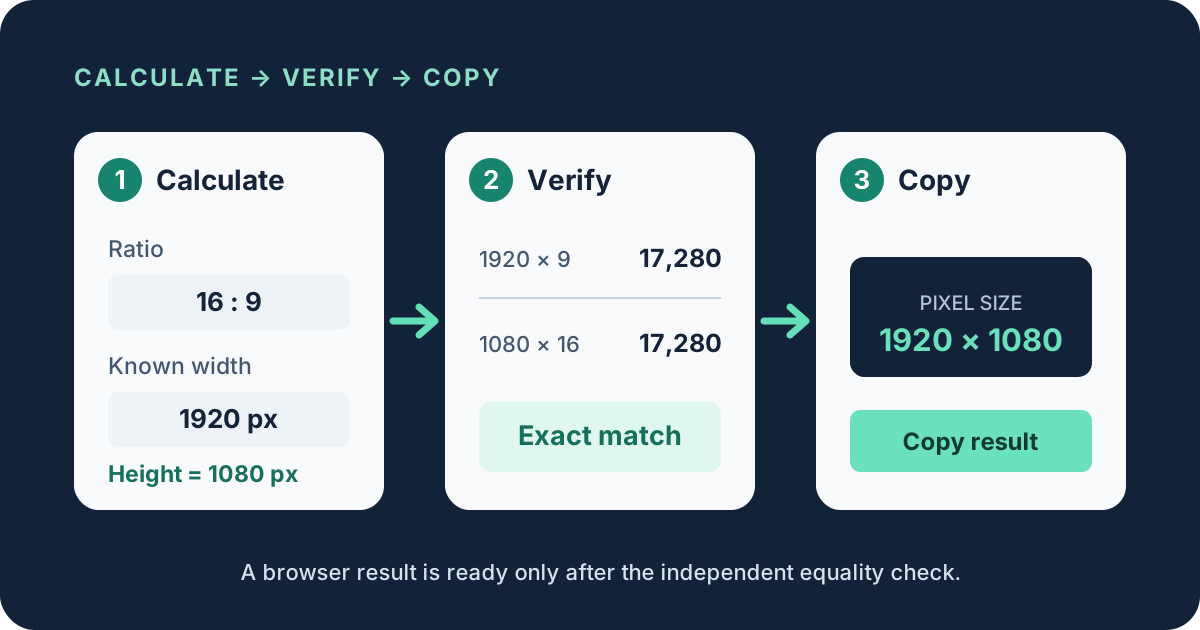
Use a three-step browser workflow
- 1Calculate
Select or enter the ratio, choose whether width or height is known, and enter that side. For 16:9 with width 1920, calculate 1920 × 9 ÷ 16 = 1080.
- 2Verify
Cross-multiply the final pair. Here, 1920 × 9 = 17,280 and 1080 × 16 = 17,280. Equal products prove the pixel dimensions match the requested ratio.
- 3Copy
Copy the final width and height only after checking that the missing side is a whole number. If it is fractional, record the rounding choice and verify the rounded pair again.
Calculate a missing width or height online
Known width
Height = width × ratio height ÷ ratio width
Known height
Width = height × ratio width ÷ ratio height
The formula works for presets and custom ratios. A 4:3 frame with a width of 1200 gives 1200 × 3 ÷ 4 = 900, so the result is 1200 × 900. A 3:2 frame with a height of 800 gives 800 × 3 ÷ 2 = 1200, so the result is 1200 × 800.
Audit the calculator result before export
Do not treat a displayed decimal as an exact pixel size. Pixels use whole-number dimensions, so a fractional result requires a decision. Suppose the requested ratio is 16:9 and the known width is 1366. The calculated height is 1366 × 9 ÷ 16 = 768.375. Rounding to 768 produces a practical pair, but it is not exactly 16:9.
| Pair | Left product | Right product | Result |
|---|---|---|---|
| 1920 × 1080 at 16:9 | 1920 × 9 = 17,280 | 1080 × 16 = 17,280 | Exact |
| 1366 × 768 at 16:9 | 1366 × 9 = 12,294 | 768 × 16 = 12,288 | 6 apart |
| 1200 × 900 at 4:3 | 1200 × 3 = 3,600 | 900 × 4 = 3,600 | Exact |
The product difference is a reproducible check, not a label based on a nearby preset. A difference of zero means exact equality. Any other value shows that rounding or a mismatched input changed the final proportion.
Preflight checklist for an online result
- Confirm which side is known and which side the calculator solved.
- Check that the ratio terms are in the same width-to-height order as the dimensions.
- Repeat the result with cross multiplication: width × ratio height must equal height × ratio width.
- If the missing side is fractional, choose floor, nearest, or ceiling intentionally and keep that decision with the exported size.
- Copy the final width and height together so the known side is not separated from the calculated side.
This site performs the calculation in your browser. The values you type are not uploaded for the calculation, and no account is required. You can test another pair immediately without creating a saved history.
Online aspect ratio calculator questions
How do I calculate aspect ratio dimensions online?
Choose the ratio, enter one known pixel side, and let the calculator solve the other side. Verify the pair by cross multiplication before using it.
Is 1366 × 768 exactly 16:9?
No. The cross products are 12,294 and 12,288, a difference of 6. It is a close rounded size rather than an exact 16:9 pair.
Does the online calculator upload my dimensions?
No. The calculation runs in your browser, and the page does not require an account or save a calculation history.